Expert Tips to Extend Smartphone Battery Lifespan and Device Longevity
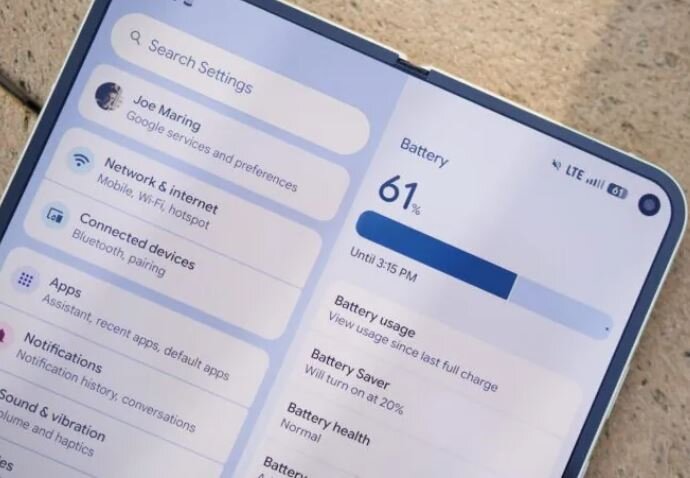
According to the Economic Desk of Webangah News Agency, a wealth of information exists regarding the optimal care of smartphone batteries. While best practices are widely discussed, certain detrimental actions can accelerate battery degradation.
Using Cheap or Damaged Cables
One of the most hazardous mistakes is employing inexpensive or incompatible charging cables. These can be a primary cause of spontaneous phone fires. It is highly recommended to exclusively use accessories from the phone manufacturer or trusted brands, avoiding low-cost, unverified options. For iPhone users, the ‘Made for iPhone’ certification provides an added layer of assurance, a principle that also applies to wireless chargers.
Allowing Batteries to Reach Zero Charge
Charging cycles significantly impact battery longevity. Constant charging and discharging gradually diminish battery health. However, allowing the phone to repeatedly deplete to zero percent exacerbates this issue. Therefore, it is advisable to maintain the charge level between 20% and 80% as much as possible. Shorter charging cycles are more beneficial for the battery, so aim to prevent the charge from dropping below 20%.
Constant Connection to Charging
Conversely, keeping a smartphone perpetually at 100% charge is as detrimental as letting it run down to zero. While overnight charging is generally not harmful, overcharging should be avoided. When a battery reaches 100%, it inherently stops charging. However, as soon as the level drops to 99%, it immediately begins recharging to 100% again. This repetitive micro-cycle stresses the battery. Fortunately, modern devices like iPhones and some Android phones incorporate ‘adaptive’ or ‘optimized’ charging features. These systems manage overnight charging by maintaining the battery at around 80% for most of the night, delaying the final 20% charge until closer to the user’s typical wake-up time.
Exposure to Extreme Heat
Most electronic devices are sensitive to heat, and this is particularly true for smartphone batteries. Excessive temperatures can significantly shorten battery lifespan. This is another reason to avoid leaving your phone plugged in continuously. Heat can originate from various sources, including intensive gaming, leaving the phone in a hot car, or prolonged exposure to high ambient temperatures, all of which can overheat the device and damage the battery.
The good news is that significant battery deterioration is often preventable. By using branded charging accessories, avoiding overexerting your device, and maintaining an appropriate temperature, users can maximize their battery’s performance. Given the rising cost of new smartphones, extending the life of your current device can lead to substantial long-term savings. Implementing these straightforward tips requires no technical expertise and can begin today by adjusting daily habits.
Don’t Ignore App Updates
To ensure your phone operates swiftly and without issues, it is essential to promptly install system and software updates. These updates, while brief, offer substantial benefits, including bug fixes, security patches, new features, and overall performance enhancements, leading to a smoother and faster user experience. Both Android and iOS offer automatic app updates, which should ideally be enabled by default. On Android, this can be confirmed by navigating to the Play Store, accessing the menu, selecting Settings, and choosing ‘Auto-update apps’. For iPhones, go to Settings > App Store and ensure ‘App Updates’ is toggled on. Note that this feature may not function in low-power mode.
For system updates on Android, open the Settings app and search for ‘Software Update’ or await a notification from your device. Google typically releases Android security updates monthly, making a mid-month check for available updates a good practice. iPhone users can enable automatic installation of new updates. The system intelligently downloads and installs updates a day or two after their release, scheduling the installation for an overnight charging session. To manage updates, go to Settings > General > Software Update. If an update is available, follow the prompts to install it. You can also configure automatic updates by tapping ‘Automatic Updates’.
Uninstalling Apps Can Revitalize Your Phone
Smartphones have limited storage and memory, making it important to minimize the number of unused applications. Regularly uninstalling seldom-used apps frees up storage space, prevents background processes from consuming valuable resources, and contributes to a longer device lifespan. Periodically review your app drawer or home screen and remove applications that have been installed but are no longer used. On iPhones, long-press an app icon, select ‘Remove App’, and then choose ‘Delete App’. Android users can achieve this by long-pressing an app, selecting the ‘i’ icon for app info, and then choosing ‘Uninstall’. Setting a monthly calendar reminder for removing unused apps can help maintain this practice.
A Good Case Significantly Extends Phone Life
While some prefer the sleek design of a phone without a case, a protective case is a wise investment against accidental drops and the costly repairs or replacements that follow. Even an inexpensive case can prevent screen breakage or damage to the phone’s internal components, saving you from the disappointment of a cracked display or the expense of a new device. Investing in a case ensures your phone remains in pristine condition, potentially increasing its resale value when it’s time to upgrade.
Keep Screen and Ports Clean
A clean phone is more pleasant to use and less prone to performance issues caused by accumulated dust and debris. Even with a case, take a few minutes periodically to clear lint and dirt from the charging port, microphone, speaker grille, and headphone jack.
Replace a Damaged Battery Instead of the Phone
Even with diligent care, batteries can degrade over time. Instead of replacing the entire phone, consider replacing the battery. This often simple and cost-effective maintenance can extend your phone’s functional life by months or even years. While phones were once more easily repaired with removable batteries, most modern devices feature integrated batteries that require disassembly for replacement.
Regularly Back Up Your Phone
While not directly extending the phone’s lifespan, regular backups ensure that your contacts, photos, videos, and custom settings are preserved. This makes transferring your data to a new device seamless when the time comes, avoiding the need to start from scratch. iPhone users can enable iCloud backup by going to Settings > [Your Name] > iCloud > iCloud Backup. For Android users, the process varies by manufacturer but generally involves going to Settings > Google > Backup. Some manufacturers, like Samsung, offer their own backup services in addition to Google’s. A simple way to locate your device’s automatic cloud backup service is to open the Settings app and search for ‘backup’.