Google Location Services Settings Detailed on Android Device
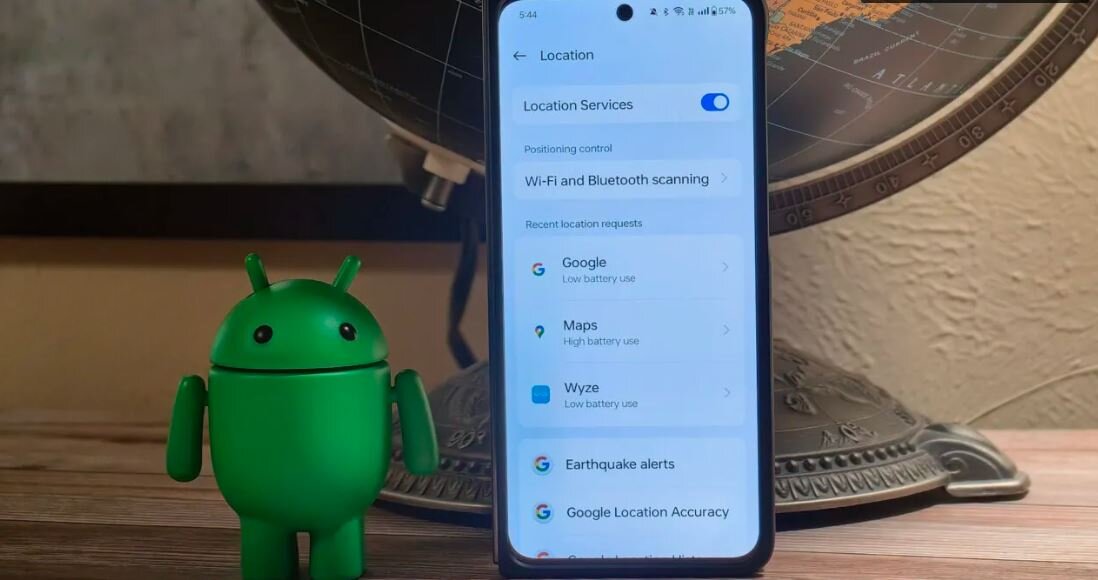
According to the Economic Desk of Webangah News Agency, the image provides a detailed look at the “Location” settings page within an Android operating system. The screen is dominated by the smartphone’s display, showcasing a menu with several key features for managing device location data.
At the top of the menu, “Location Services” is prominently featured with an activated toggle switch, indicating that location tracking is enabled. Below this, users can find “Positioning control” and “Wi-Fi and Bluetooth scanning,” which allow for finer adjustments to how the device determines its location and interacts with nearby wireless networks.
The section titled “Recent location requests” lists specific applications that have recently accessed the device’s location. Among these are “Google,” noted for “Low battery use,” and “Maps,” indicated as consuming “High battery use.” Other applications such as “Wyze” are also listed with their respective battery usage impact.
Further down the screen, options for “Earthquake alerts” and “Google Location Accuracy” are visible, suggesting integrated features that leverage location data for user information and service enhancement. The overall presentation highlights the granular control users have over location-based services on their Android devices.